Many site owners treat “plugin security” and “plugin maintenance” as the same thing. They’re not. Conflating them leads to checking the wrong signals, trusting the wrong results, and occasionally being blindsided by problems a clearer framework would have caught earlier. The distinction is simple once you see it — and it changes how you evaluate every plugin on your site.
What “plugin security” means
Plugin security is about known vulnerabilities: whether the plugin has a documented flaw that an attacker could exploit right now. Think of it as a binary question with a timestamp. Does this plugin have a disclosed security issue that hasn’t been patched?
Tools like Patchstack, WPScan, and the WPVulnerabilities database answer this question. If a vulnerability has been found and catalogued, they’ll tell you. If it hasn’t, you get a clean result.
This is a snapshot. It tells you about the plugin’s status at this specific moment, based on publicly-known information. It’s backward-looking by design: something has to be discovered, reported, and documented before a vulnerability scanner can surface it.
What “plugin maintenance” means
Plugin maintenance is about whether the developer is still actively looking after the plugin — shipping updates, testing against new WordPress and PHP versions, watching the support forum, and responding when things go wrong.
This is forward-looking. A well-maintained plugin might have no known vulnerabilities today, but the reason you should feel comfortable with it is that when a vulnerability is discovered — as eventually happens to any plugin that’s been around long enough — someone is there to patch it quickly. Maintenance tells you what will happen next, not just what’s true right now.
Why the distinction matters
Here’s the practical difference:
A plugin with no known vulnerabilities but no active maintenance is like a building with no reported faults but no caretaker. It’s fine today. When something breaks, there’s no one to fix it.
A plugin with active maintenance and a security disclosure in its history might look riskier at first glance. But if the developer shipped a patch within days and users updated, the risk window closed. That responsiveness is a positive signal. The disclosure and the patch together show a developer who’s present and capable.
Most vulnerability scanners give a clean report on the first plugin and a complicated history on the second. If you’re reading those results as “the first one is safer,” you’ve got the framework backwards.
The two questions worth asking
Instead of asking “is this plugin secure?” — which is too vague to be useful — ask two specific questions:
1. Does this plugin have any open, unpatched vulnerabilities right now?
This is the security question. Check a dedicated vulnerability database. If there’s an unpatched flaw, you need to act: update immediately if a fix exists, or find an alternative if the developer has gone quiet and won’t be shipping one.
2. Is this plugin actively maintained, so future problems will get fixed?
This is the maintenance question. Look at how recently it was updated, whether it’s been tested against the current WordPress version, and whether the support forum is alive. These signals tell you whether the plugin has a future as well as a present.
Both questions matter. Neither one makes the other irrelevant.
How to check each one
For security (known vulnerabilities):
The Patchstack database and WPScan’s vulnerability database are the most accessible free resources. Search for the plugin by name and look for any open disclosures. WordPress.org sometimes surfaces security notices on a plugin’s page when there’s a known issue.
A clean result is reassuring, not a guarantee. It means no one has found and published a problem yet — not that none exists.
For maintenance (long-term health):
Go to the plugin’s WordPress.org page and check:
- Last updated. Under six months is healthy; over a year is a warning; over two or three years is effectively abandoned.
- Tested up to. How many WordPress versions behind is the developer’s most recent compatibility declaration?
- Support forum. Are questions being answered? Are threads resolving, or stacking up unanswered?
- Active installs. A large, stable install base means more scrutiny — and more pressure on the developer to ship fixes promptly when something goes wrong.
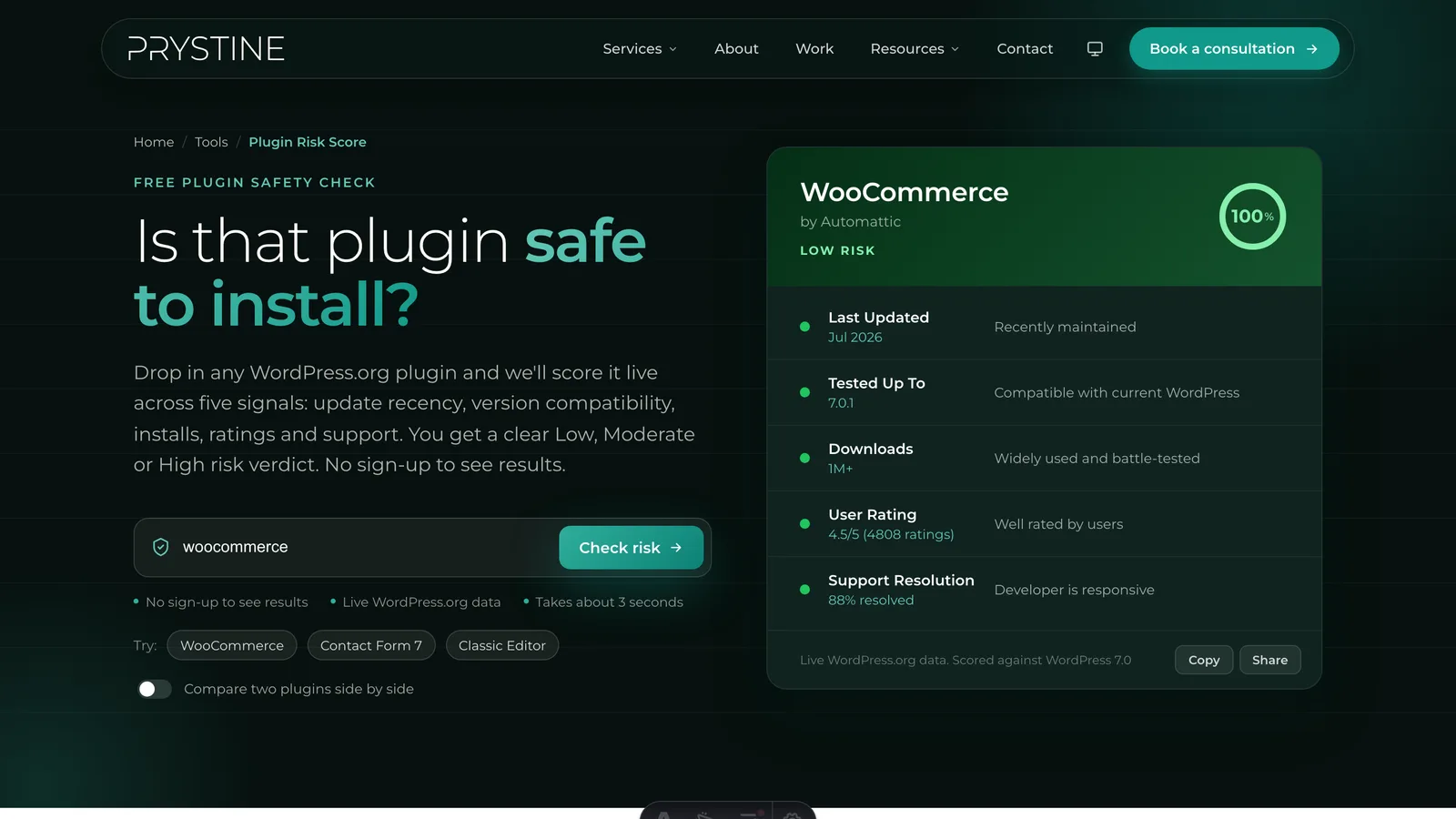
Our free Plugin Risk Score tool pulls all of the maintenance signals live from the WordPress.org API and gives you a clear verdict in seconds. It won’t flag open CVEs — that’s a separate, backward-looking question — but it tells you whether the developer is in a position to respond when one turns up.
When the two signals conflict
The interesting case is when security and maintenance point in different directions.
No known vulnerabilities, but poorly maintained. This is riskier than it looks. A clean vulnerability report is a lagging indicator — it means no flaw has been found and published yet. An unmaintained plugin won’t patch the one that gets found next month. The absence of a current CVE is not a substitute for a developer who’s watching.
Vulnerabilities in history, but actively maintained. A patched vulnerability is exactly what good maintenance looks like. The developer found out about a problem, fixed it, and shipped the update. If you’re running the current version and the developer is still engaged, a historical disclosure is far less concerning than a stale last-updated date on an ostensibly clean plugin.
The principle: a maintained plugin with a patched past is safer than an unmaintained one with a clean present. The clean present is borrowed time.
What security plugins can and can’t do
Web application firewalls, malware scanners, and security plugins — Wordfence, Sucuri, and their peers — operate mostly in the security layer. They detect and block known attack patterns, scan for signs of compromise, and alert you when a plugin version has been flagged. They’re genuinely useful.
What they can’t do is make a poorly-maintained plugin safe. A firewall can reduce the blast radius if something is exploited, but it’s not a substitute for a developer who’s still present and shipping patches. Think of security tooling as a safety net, not a maintenance replacement.
If a security plugin is telling you a plugin has an active, unpatched vulnerability, treat it as urgent. If it’s giving a clean report on a plugin the developer last touched in 2022, the safety net is out — but the underlying maintenance risk is still accumulating.
Applying both checks before you install
A thorough two-minute pre-install check covers both layers:
- Search the plugin name in a vulnerability database. Any open issues?
- Open the plugin’s WordPress.org page. Check last updated, “tested up to,” and the support forum.
If the vulnerability search is clean and the maintenance picture looks healthy, you’re in good shape. If either fails, you have a specific decision to make — not a vague worry.
For the maintenance side of that check, run the plugin through Plugin Risk Score first. For the security side, Patchstack or WPScan takes another thirty seconds. Between the two you’ve answered both questions properly.
The bottom line
Security and maintenance are related but they’re not the same thing. Security tells you what’s true today. Maintenance tells you what will happen when today changes.
Checking only vulnerability databases leaves you exposed to the slow-building neglect that causes most real-world WordPress problems. Checking only maintenance signals means you might be running an actively-exploitable plugin without knowing it. You need both — and the good news is that together they take less than two minutes.
For a complete picture of the maintenance signals that predict long-term plugin reliability, How to check if a WordPress plugin is safe walks through each one in detail. For a quick automated read on any plugin in the WordPress.org repository, our free Plugin Risk Score tool is free and takes seconds.
Vetting plugins by hand for every site gets old fast, and it’s a big part of what we do at Prystine. If you’d rather someone else kept your WordPress plugins updated, secure and out of trouble, have a chat. Any time you want a quick read on one, our free Plugin Risk Score tool scores it in seconds.

Josh Cox
I'm Josh — I build, host and look after WordPress sites (and increasingly fast Astro / Next.js builds) for Oxfordshire businesses, from Didcot, since 2016. I also tinker with a few products of my own on the side.