It’s the question every site owner eventually asks, usually when the updates screen shows a plugin that hasn’t changed in a while: is it actually safe to keep running an outdated WordPress plugin?
The honest answer is it depends — but not in a hand-wavy way. It depends on one specific thing: why the plugin is outdated. Get that distinction right and the decision becomes easy.
”Outdated” means two very different things
People use “outdated” to describe two situations that carry completely different levels of risk.
1. You haven’t applied an available update. The developer is active and has shipped a newer version — you just haven’t installed it yet. This is low-risk to fix and high-risk to ignore, because pending updates often contain security patches. Update it (after a quick backup) and you’re done.
2. The plugin itself hasn’t been updated by its developer. There is no newer version because the developer has gone quiet. This is the risky kind of outdated, and no amount of clicking “update” will fix it — the problem is upstream.
Most worry about the first when they should be worried about the second. A plugin you’ve kept current is fine. A plugin the developer has stopped maintaining is the real exposure.
Why unmaintained plugins get riskier over time
Three forces work against an unmaintained plugin:
- Newly-disclosed vulnerabilities won’t get patched. Once a flaw in the plugin is found and published, every site still running it becomes a known target — and there’s no fix coming.
- WordPress core keeps moving. Major releases land roughly every four months. Code that isn’t updated to keep pace eventually conflicts with core changes.
- PHP keeps moving. Hosts upgrade PHP versions, and old plugin code can break — sometimes loudly with errors, sometimes silently by just not working.
None of these are urgent on day one. All of them compound. A plugin that’s safe-but-stale today is a little riskier every month it stays unmaintained.
How to judge a specific plugin
Don’t guess — check the signals on its WordPress.org page:
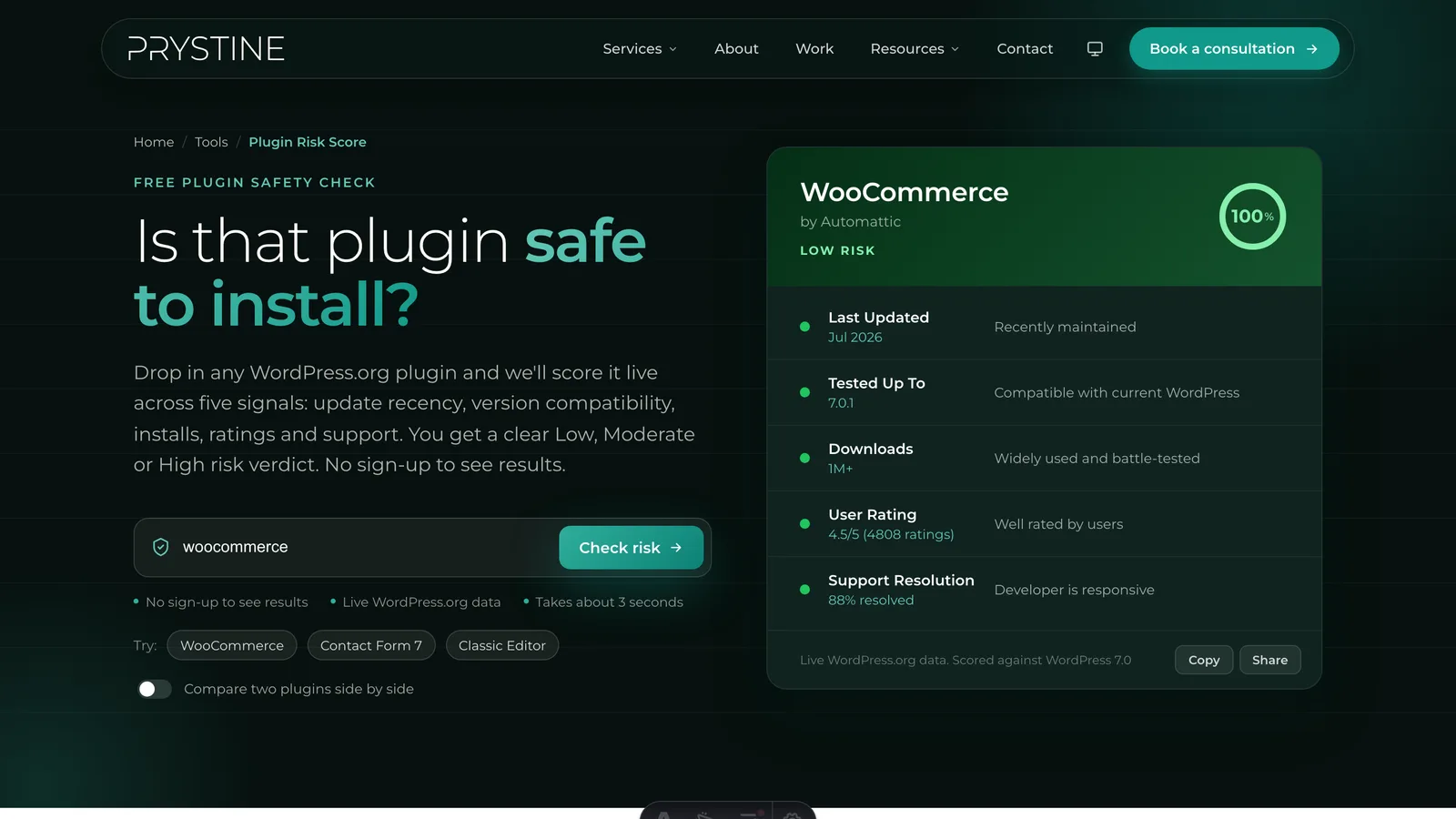
- Last updated: under 6 months is healthy; over a year is a warning; over three years is effectively abandoned.
- Tested up to: does it list the current WordPress version, or lag several behind?
- Support forum: are recent questions being answered, or piling up unread?
If those look healthy, an “outdated” plugin is usually fine to keep — stability isn’t the same as neglect, and some mature plugins simply don’t need frequent changes. If they look bad, treat it as a plugin to replace.
The fastest way to get this judgement is to run the plugin through Plugin Risk Score. It reads all of those signals live and tells you whether “outdated” means stable or risky — with the reasoning shown, not just a number.
What to do with a genuinely risky plugin
If the verdict is bad, you’ve got a clear path: find an actively-maintained alternative, test the swap on staging, migrate your data, and remove the old plugin entirely. If you can’t replace it right away, reduce your exposure (restrict access, disable unused features, keep a current backup, sit it behind a firewall) and set a deadline to deal with it properly.
The bottom line
Outdated isn’t automatically unsafe — but unmaintained usually is. The skill is telling the two apart, and it takes about a minute per plugin. Check any plugin’s risk for free and you’ll know which kind of “outdated” you’re dealing with.
Vetting plugins by hand for every site gets old fast, and it’s a big part of what we do at Prystine. If you’d rather someone else kept your WordPress plugins updated, secure and out of trouble, have a chat. Any time you want a quick read on one, our free Plugin Risk Score tool scores it in seconds.

Josh Cox
I'm Josh — I build, host and look after WordPress sites (and increasingly fast Astro / Next.js builds) for Oxfordshire businesses, from Didcot, since 2016. I also tinker with a few products of my own on the side.