Most site owners assume a premium plugin is safer than a free one. The reasoning feels intuitive: paid software means a business behind it, a dedicated team, accountability from a customer relationship. Free software is hobbyist, maybe unmaintained. Right?
It’s a reasonable instinct, and it’s mostly wrong. Whether a plugin is free or paid turns out to be a poor predictor of risk. The signals that actually matter — maintenance frequency, developer responsiveness, update recency — don’t correlate reliably with price.
Here’s what actually changes when you pay, what doesn’t, and how to think about this properly.
What “free” and “premium” mean in the WordPress world
Before we get into risk, it’s worth being precise about what these labels cover — because “free” and “premium” describe genuinely different things in different contexts.
Free on WordPress.org means the plugin is listed in the official repository, is open source under the GPL licence, and is available to install at no cost. WordPress.org reviews plugins before listing them, maintains a public changelog, shows maintenance signals (update dates, active installs, support forums) for everyone to see, and will close plugins that have serious unresolved security issues.
Premium (commercial) plugins come in several flavours:
- A freemium model: the core plugin is on WordPress.org for free, with paid tiers unlocking additional features or support. Many popular plugins work this way — Yoast SEO, WooCommerce extensions, Gravity Forms.
- A commercial plugin distributed entirely outside WordPress.org — purchased on the developer’s own site or through a marketplace like CodeCanyon.
- An agency-built plugin installed on client sites without a public listing anywhere.
The distinction matters because the risk profile of a free WordPress.org plugin and a commercial off-WordPress.org plugin are shaped by completely different factors.
What paying for a plugin actually buys you
When a plugin is commercial and actively maintained, you often get things that free tiers don’t include.
Dedicated support. Most premium plugins come with a proper helpdesk, dedicated support staff, and an expectation of timely responses. If you’re running an e-commerce site and your payment gateway breaks at 11pm on a Friday, that matters considerably.
A financial incentive to maintain the software. A developer or company selling licences has a direct business reason to keep shipping updates, fix bugs quickly, and patch vulnerabilities promptly. Their revenue depends on it. That’s a useful structural incentive — though it doesn’t guarantee the plugin will remain well-maintained if the business runs into trouble or changes priorities.
Potentially faster security patches. Commercial plugins with professional development teams can sometimes respond to vulnerabilities faster than a solo developer maintaining a free plugin in their spare time. There’s a team who can investigate and ship a fix without waiting for one person’s schedule to free up.
These are real advantages — in the specific case where the commercial plugin is backed by a healthy, motivated business.
What paying doesn’t buy you
Paying for a plugin does not buy you:
Immunity from abandonment. Commercial plugins get abandoned too. When a company fails, changes direction, gets acquired and the acquirer loses interest, or simply decides to stop selling the product, the plugin can go quiet just as completely as any free one. And when a commercial plugin goes quiet, you often have less visibility into it — no public WordPress.org support forum, no publicly-visible changelog, sometimes no way to tell from the outside how long it’s been since anyone touched the code.
Better code quality by default. Price doesn’t determine how carefully the plugin was written. There are free plugins with excellent, well-reviewed code and commercial plugins built quickly by developers with no particular security discipline. The price tag tells you nothing about code quality.
A transparent maintenance picture. One of the underrated advantages of free WordPress.org plugins is the visibility the repository provides: you can see exactly when the plugin was last updated, which WordPress versions it’s been tested against, how the support forum looks, and how many active installs it has. With a commercial plugin distributed off WordPress.org, you often have to trust the developer’s own messaging — there’s no equivalent public dashboard showing you the real picture.
The freemium grey zone
Many popular plugins sit in the middle: a free version on WordPress.org with paid extensions or a premium tier. This is often the best of both worlds. You get the public repository signals — update dates, install counts, an open support forum — plus the financial incentive of a commercial product and often excellent support for paying customers.
The risk with freemium models is that free-tier support can be neglected when the developer’s attention goes to premium customers. Check whether the WordPress.org support forum is actually being answered for free users, or whether questions there get a boilerplate “please upgrade for support” reply. How to tell if a WordPress plugin developer actually responds to support covers exactly how to read those signals before you commit.
Commercial marketplaces: a separate risk profile
Third-party plugin marketplaces — sites that sell WordPress plugins outside the WordPress.org repository — are worth treating with specific caution. They have their own quality standards, but those aren’t the same as WordPress.org’s review process, and the maintenance signals that are visible on WordPress.org (update dates, support forum activity, install counts) may not be available in the same form.
A well-rated plugin on a reputable marketplace can be an excellent choice, but you’re doing the vetting differently. Look for the developer’s own website, their changelog history, their update frequency, and what their support channels look like. The absence of a public support forum doesn’t mean the developer is unresponsive — just that you can’t check as easily.
What actually determines risk
The signals that predict whether a plugin will serve you well or become a liability are the same regardless of price:
- How recently it was updated. Six months or less is healthy. Over a year is a warning. Over two or three years is effectively abandoned — commercial or not.
- How responsive the developer is. A paid plugin with a dead helpdesk and ignored bug reports is more dangerous than a free plugin with an active, helpful developer on the support forum.
- How transparently they handle security disclosures. Do they patch and communicate promptly when a vulnerability is found, or do issues sit unaddressed?
- Whether the plugin has a real user community. Active install counts and forum engagement are proxies for scrutiny — a popular plugin has been pressure-tested across many environments, whether it costs money or not.
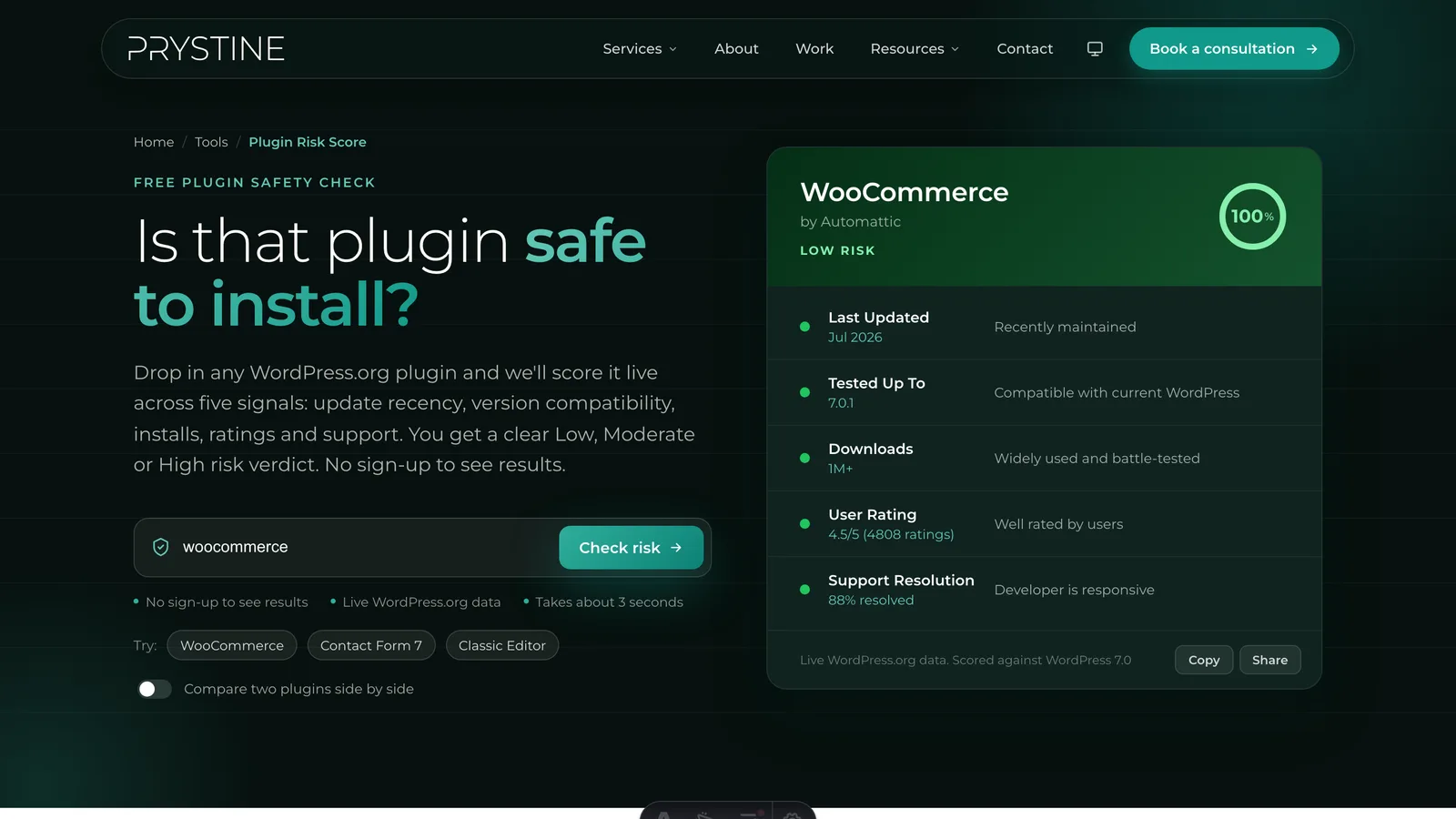
For any plugin with a WordPress.org listing, our free Plugin Risk Score tool reads all of those signals automatically and returns a clear Low, Moderate, or High verdict with the reasoning shown. It’s free, needs no account, and takes seconds per plugin.
The freemium sweet spot
If you want the safety of public transparency and the reassurance of commercial backing, a well-established freemium plugin often delivers both. You can see the real maintenance picture on WordPress.org, and if you’re relying on the plugin for something business-critical, upgrading to a paid tier buys you proper support. The key word is well-established: check the update history, not just the marketing copy. A freemium plugin that hasn’t shipped a core update in eighteen months is still an eighteen-month-old plugin, regardless of what the sales page says.
The bottom line
Free doesn’t mean risky. Premium doesn’t mean safe. The labels describe a distribution model and a price point, not a maintenance commitment or a code quality floor. A free, well-maintained plugin with a large active install base and an engaged developer is a safer choice than a commercial plugin from a company that’s quietly going dark.
The question to ask isn’t “is this free or paid?” It’s “is this actively maintained by someone who responds when things go wrong?” Check the maintenance signals, not the price tag. Run any plugin through Plugin Risk Score to see those signals at a glance — it works for any plugin in the WordPress.org repository, and it’s completely free.
Vetting plugins by hand for every site gets old fast, and it’s a big part of what we do at Prystine. If you’d rather someone else kept your WordPress plugins updated, secure and out of trouble, have a chat. Any time you want a quick read on one, our free Plugin Risk Score tool scores it in seconds.

Josh Cox
I'm Josh — I build, host and look after WordPress sites (and increasingly fast Astro / Next.js builds) for Oxfordshire businesses, from Didcot, since 2016. I also tinker with a few products of my own on the side.