Abandoned plugins are the quiet killers of WordPress sites. They don’t break the moment the developer walks away — they keep running, looking perfectly fine, until a core update or a newly-disclosed vulnerability turns them into an open door. By then there’s no one home to fix it. If you only audit one thing on your site this quarter, make it this.
What “abandoned” actually means
There’s no official switch a developer flips. A plugin is effectively abandoned when no one is maintaining it any more — no security patches, no compatibility updates, no answered support threads. WordPress.org will eventually close a plugin that goes unmaintained for long enough, but plenty of stale plugins stay listed and installable in the meantime.
A useful rule of thumb: no update in over a year is a warning, and no update in over three years is abandonment until proven otherwise. The longer the silence, the higher the risk — which is why a long gap should weigh more heavily in your judgement than any other single factor.
How to spot an abandoned plugin
You don’t need special tools — every signal is on the plugin’s WordPress.org page:
- Last updated date. The headline number. Months are fine; years are not.
- “Tested up to” version. If it lags several WordPress releases behind, the developer has stopped checking their code against core.
- Support forum activity. Open it and look at recent threads. Unanswered questions stacking up for weeks is the clearest “nobody’s home” sign there is.
- Changelog cadence. A long flat line followed by one tiny commit is often a developer doing the bare minimum to look active — not genuine maintenance.
- Developer’s other plugins. If their whole portfolio has gone quiet at once, that’s a strong signal they’ve moved on entirely.
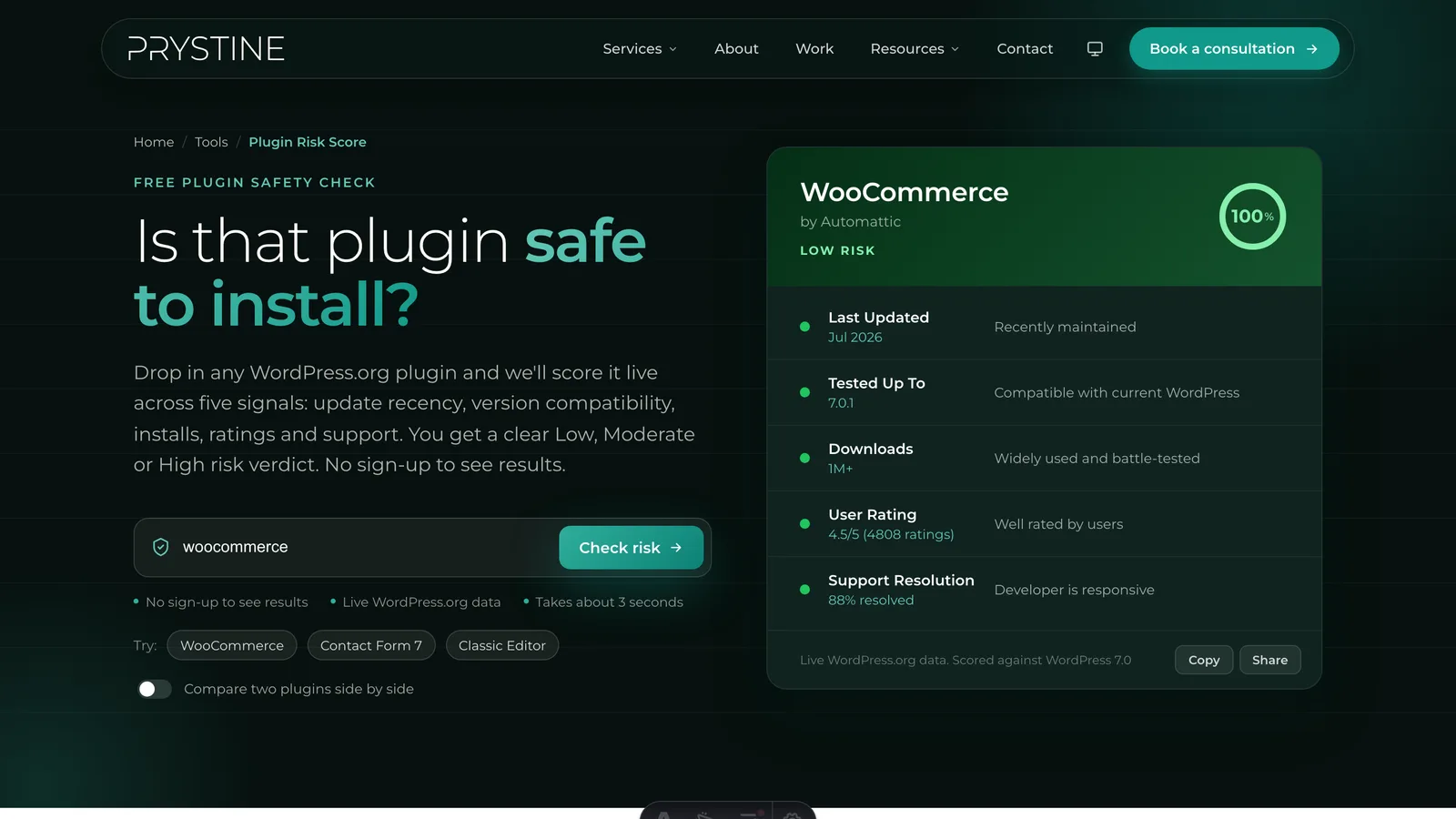
To check every plugin on a site quickly, run each one through our free Plugin Risk Score tool — the “Last Updated” factor is weighted to flag exactly this pattern, and a High Risk verdict driven by update age is usually abandonment talking.
Why abandoned plugins are dangerous
It comes down to one thing: unpatched vulnerabilities. Security researchers find flaws in WordPress plugins constantly. When a maintained plugin has a flaw disclosed, the developer ships a fix and most sites auto-update within days. When an abandoned plugin has a flaw disclosed, nothing happens — the vulnerability just sits there, now publicly documented, waiting for automated bots to find sites still running the old version.
Compatibility is the slower-burning second problem. As WordPress core and PHP move forward, unmaintained code drifts out of step until it starts throwing errors or silently failing — and a plugin that quietly stops doing its job (think backups, forms, or payments) can cost you more than one that fails loudly.
How to replace one safely
- Find an actively-maintained alternative. Search the WordPress.org repository for plugins that do the same job, and vet the candidates on update recency, install base, and support — the same way you’d vet any new plugin. For popular abandoned plugins, the community has often already published a maintained fork or successor.
- Test on staging first. Never swap plugins directly on a live site. Spin up a staging copy, install the replacement, and confirm your data and settings migrate cleanly.
- Export your data before you deactivate. Forms, settings, custom content — make sure you can carry it over (or have a backup) before the old plugin goes.
- Deactivate, then delete. A deactivated plugin still sits on your server as dead code and a potential attack surface. Once you’ve confirmed the replacement works, remove the old one entirely.
- Re-check in a few months. Today’s healthy replacement can become tomorrow’s abandoned plugin. Build a habit of periodic re-checks.
Can’t replace it yet?
Sometimes there’s no drop-in alternative and you can’t remove the plugin immediately. If you’re stuck with a risky plugin for now, reduce your exposure: restrict admin access, disable any features of the plugin you don’t actually use, keep a current off-site backup, and put the site behind a web application firewall if you can. Then put a hard deadline in your calendar to replace it properly — because abandoned plugins only get riskier with time.
The bottom line
Abandoned plugins are predictable and preventable. A two-minute check before you install, and a periodic sweep of what’s already on your site, will catch almost all of the risk. Run your plugins through our free Plugin Risk Score tool to find the dead weight fast — it’s free and works for any plugin in the WordPress.org repository.
Vetting plugins by hand for every site gets old fast, and it’s a big part of what we do at Prystine. If you’d rather someone else kept your WordPress plugins updated, secure and out of trouble, have a chat. Any time you want a quick read on one, our free Plugin Risk Score tool scores it in seconds.

Josh Cox
I'm Josh — I build, host and look after WordPress sites (and increasingly fast Astro / Next.js builds) for Oxfordshire businesses, from Didcot, since 2016. I also tinker with a few products of my own on the side.