Today we’ve launched our upgraded and rebranded Quotify.
It takes the same concepts as we had with the beta product back in 2021 but now has an upgraded UI & new set of features.
Before we look at the new UI & features, what concepts have stayed the same?
It’s the idea that transparent pricing should be front and centre for almost all businesses.
We’ve written lots before about pricing; one example is: The Elephant in the room – sharing your pricing on your website, which if you haven’t read it covers the main reasons why it’s important – and for balance chucks in a couple of cons. We’re all busy so here’s a TL;DR: sharing pricing pre-qualify buyers, builds trust and sets expectations.
Now we have that covered, let’s look at the new UI:
The New Look
We’ve simplified the form building phase, taking quoting back to basics. Questions. Questions help us understand the project/task that needs doing. From there we can provide an accurate price.
Side note: if you need help pricing your project, check out this article here.
The Form Builder
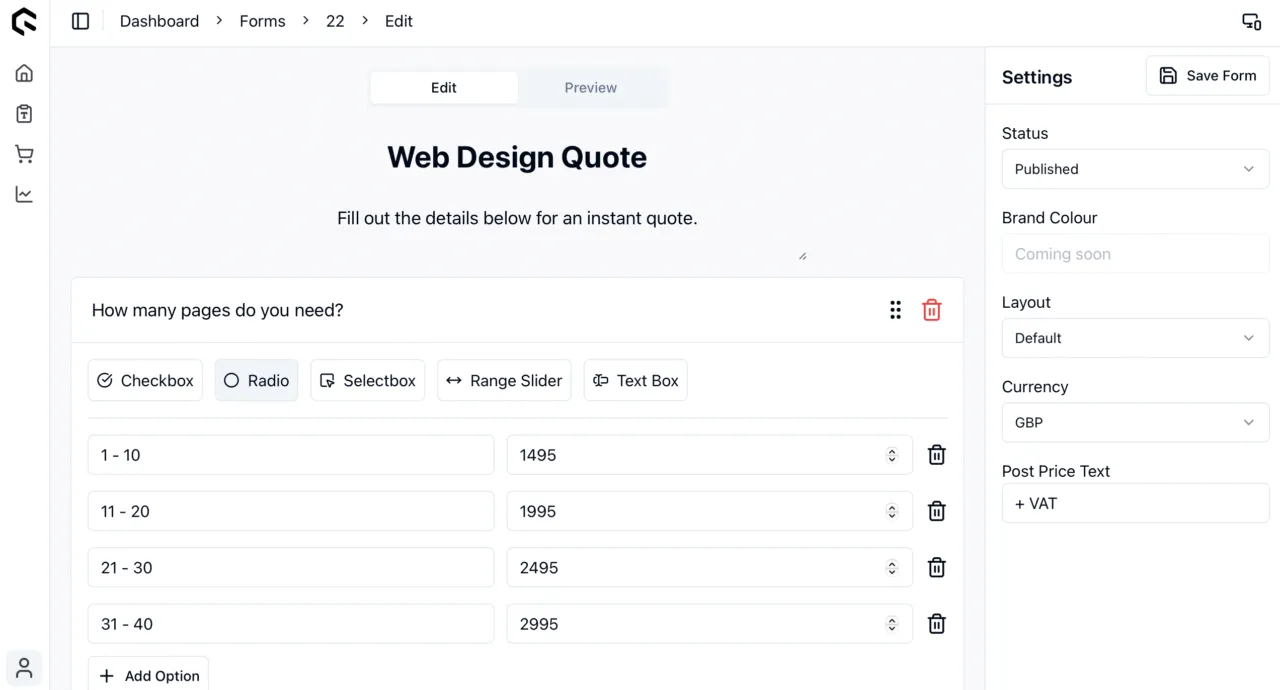
Below in Figure 1, you’ll see a snap shot of our quote form builder.
You start by adding a title, form description and then the questions. The questions build up and once you’re confident you’ve captured all the necessary details needed to price a job, adjust the form settings (on the right) and then hit “Save Form”.
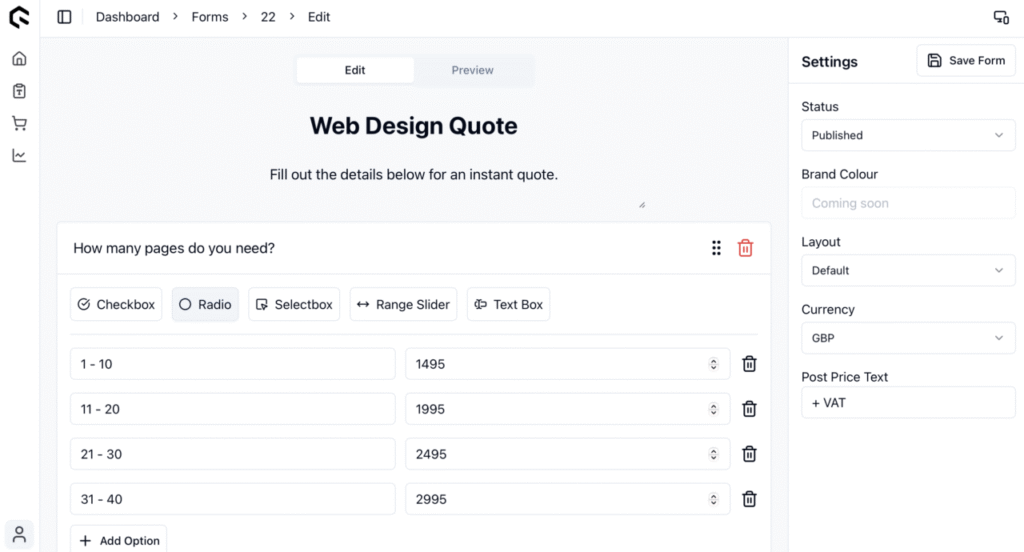
Figure 1: The Form Builder
The embeddable form
Once you’ve published your form, and have embedded it in your website. You’ll then be able to direct customers to it and start watching the qualified leads roll in. See example Figure 2 below.
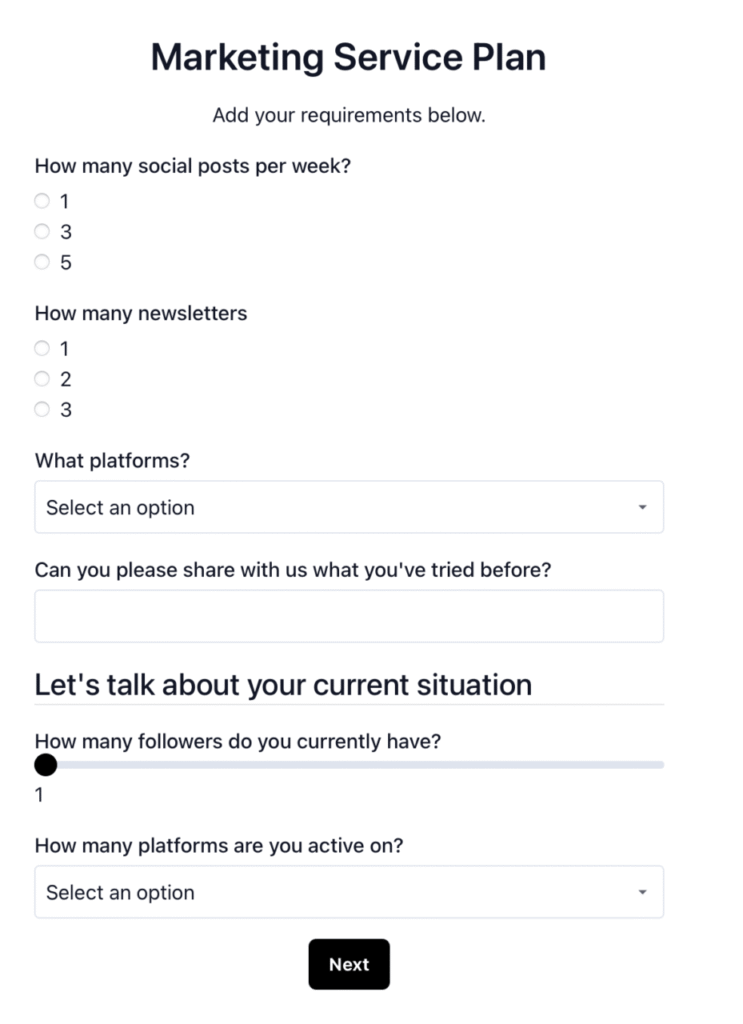
Figure 2: Quotify’s Quote Form
We’ve made the form designs (yes plural), very clean and easy-on-the-eyes. They allow your potential customers to fill out the relevant info and get a price instantly.
Once the customer has hit next (from the above image), they’ll be then presented with a quote summary, like Figure 3 below.
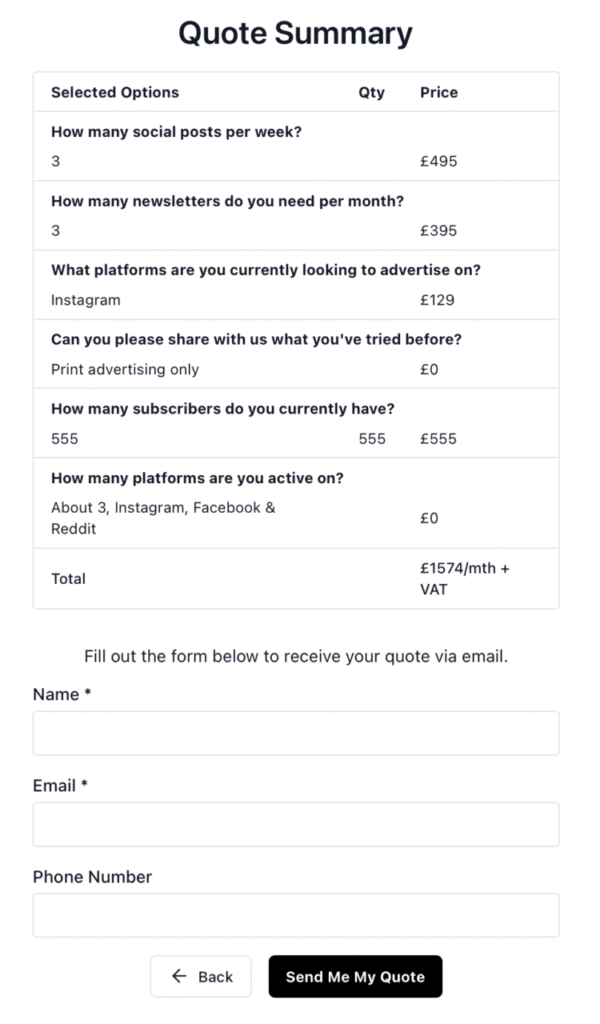
Figure 3: Quotify’s Quote Summary
Followed nicely with the option to submit their details and take the quote further.
I know what you might be thinking. But Josh, why would we give them the option to submit their details?
That’s because they haven’t been given the price yet, how would they know they want to proceed with your company if they don’t know they can afford it.
And the features?
We’ve enabled different colour modes (Light/Dark/System) for the admin dashboard and included a few designs & branding options for your form.
Why not give it a try?
Quotify does have a free plan, which you can sign up and start using today or read more about the software here.

Josh Cox
I'm Josh — I build, host and look after WordPress sites (and increasingly fast Astro / Next.js builds) for Oxfordshire businesses, from Didcot, since 2016. I also tinker with a few products of my own on the side.