TL;DRUptimeRobot is the kind of tool I forget I'm even using, right up until the moment it pings me and I fix a problem before anyone else has noticed it. It's quick to set up, genuinely reliable, and even on a paid plan it's cheap insurance for a site that matters. The non-commercial free restriction took a little shine…
There are few worse ways to find out your website’s down than a client ringing to tell you. You’re instantly on the back foot, apologising for something you didn’t even know was happening, scrambling to work out whether it’s the host, a bad deploy, or a domain that’s quietly expired.
I decided a long time ago that I never wanted to be the last to know. UptimeRobot is how I make sure I’m the first.
What it actually does
It pings your site from the outside every few minutes, and the moment it can’t reach it, you get a shout — email, mobile push, Slack, Telegram, a webhook into whatever you like. That’s the whole pitch. It’s deeply unglamorous, set-and-forget infrastructure, which is exactly the sort of thing that quietly saves your reputation.
When a host has a wobble at 2am, I’d much rather my phone buzzes than my client’s patience runs out.
Why I rate it
Alerts that reach you where you are
Email’s the default, but the moment you wire up mobile push or Slack it goes from “nice idea” to “thing that’s actually saved me”. Set it once and forget it exists until the day it earns its keep.
Public status pages
A lovely little extra: a branded status page you can point clients at. So when something genuinely is down, there’s a single source of truth instead of a flurry of “is it just me?” emails. And when everything’s green, it’s a quiet bit of reassurance that you’re on top of things.
It really is a five-minute job
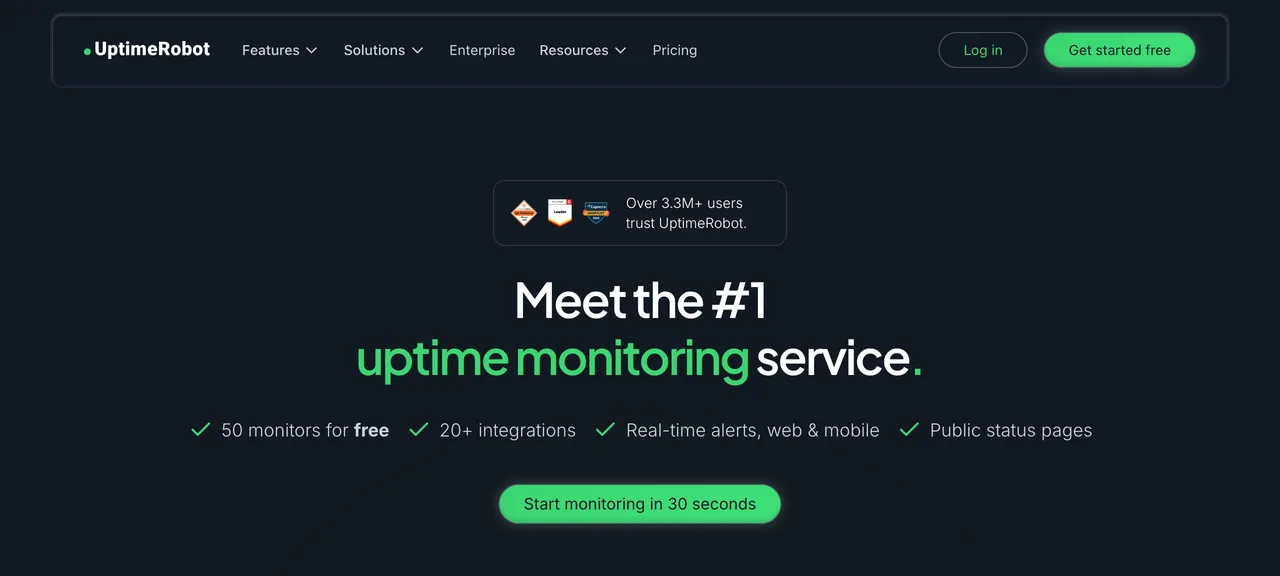
Their “start monitoring in 30 seconds” line is marketing bravado, but not by much. Paste a URL, pick how you want to be told, done. No agent to install, no DNS faff.
A word on the free plan, because it caught me out
Let me be straight, because the marketing isn’t. UptimeRobot does have a free plan, and it looks generous — fifty monitors, the alerting that matters. But a year or two back they changed the terms, and the free tier is now explicitly for personal, non-commercial use only. So if it’s a business site — which, let’s face it, is most of what I’m keeping an eye on — you need a paid plan. Full stop.
Do I mind? Honestly, not much. I’d rather a tool be upfront about that than quietly let businesses lean on a free tier it can’t afford to support and then change the rules later. The paid plans are reasonably priced for what they do — faster checks, more monitors, and the commercial use you actually need — and I pay for them happily across the sites I look after. For a genuine hobby project, the free plan is still a lovely thing to have. Just don’t build a business on it and expect it to be allowed.
The bits that aren’t perfect
Beyond the free-plan catch, the pricing can creep up once you’re watching a lot of sites, the faster check intervals are gated behind the higher tiers, and the dashboard redesign is one I’m still warming to — with upgrade nudges that are a touch keen. None of it is a dealbreaker. It’s just the usual SaaS trade-offs, and at least they’re honest about most of them.
Who it’s for
Anyone with a website they’d be upset to lose for an afternoon. For the sites I build and look after, monitoring is just part of the standard kit alongside hosting and ongoing maintenance — the boring, behind-the-scenes stuff that means nobody ever has to panic. If you run anything that matters online, something should be watching it around the clock, and on a paid plan UptimeRobot is cheap insurance for exactly that.
The verdict
UptimeRobot is the kind of tool I forget I’m even using, right up until the moment it pings me and I fix a problem before anyone else has noticed it. It’s quick to set up, genuinely reliable, and even on a paid plan it’s cheap insurance for a site that matters. The non-commercial free restriction took a little shine off — especially as it crept in quietly — and the odd upsell doesn’t help, but it does its one job brilliantly and I happily keep paying for it.
If you want to put a watchful eye on your own site, you can get started with UptimeRobot here.
Frequently asked questions
Is UptimeRobot free?
Is UptimeRobot any good?
What are the best UptimeRobot alternatives?

Josh Cox
I'm Josh. I build, host and look after WordPress (and modern Astro / Next.js) sites from Didcot. These are honest reviews of tools I actually use day to day, all part of the stack I build on. Some links are affiliate links; they never change my verdict.