TL;DROverall, WP Stackable is a powerful Gutenberg extension. Its rich Design Library and extensive customisation options make it an essential plugin for creating stunning, responsive websites. Despite a few minor drawbacks, it’s a worthwhile investment and one we couldn’t do without!
We often get asked what our “go-to” WordPress tools are, so we decided to create a few review articles about them.
In this article, we’ll be looking at a plugin we use on most of our web development projects: Stackable.
We spent hours researching the various options out there, from Kadence to CoBlocks to Genesis Blocks. We finally (at least for the foreseeable future) settled on a Stackable for the reasons you’re going to read about!
Firstly, what is a Gutenberg extension?
A Gutenberg extension is a plugin or add-on for WordPress that enhances or extends the capabilities of the Gutenberg editor.
The Gutenberg editor is the native editor in WordPress. I often liken Gutenberg (often called the block editor) to a much more advanced WordDoc in terms of editing experience.
Gutenberg extensions add new blocks, features and design options that aren’t available in the default editor. These extensions can include advanced customisation options, pre-designed templates, additional block types, and enhanced styling tools.
Essentially, they empower users to create more complex and visually appealing content without needing to code, making WordPress more powerful and flexible for both beginners and experienced developers.
Why we chose Stackable
We tested a bunch of block plugins, but Stackable stood out for its balance of design flexibility and performance. It felt like the right mix of power and simplicity. This was especially important to us for client sites where we want to ship fast, look good, and still keep things lightweight.
Number of blocks
While all the block plugins we looked at had a wide range of blocks, I felt Stackable’s library was a good fit for the development services we offer in terms of flexibility and use cases. It covers everything from simple content blocks to more advanced layouts, without overloading the UI with fluff.
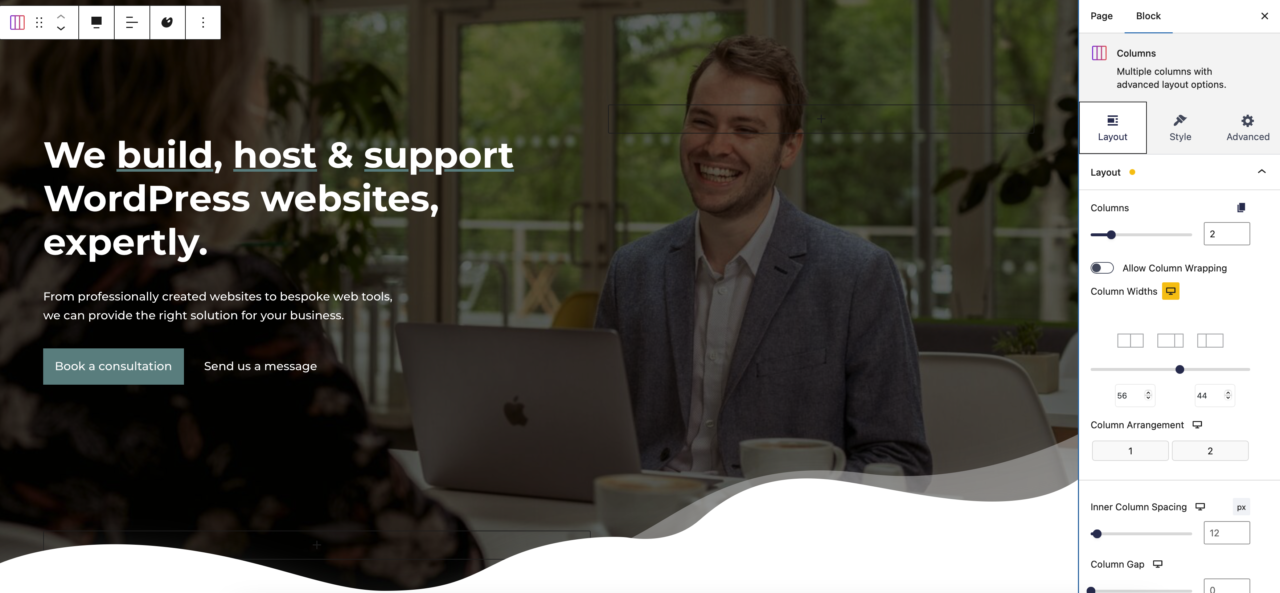
Our homepage is built with Stackable’s Gutenberg extension plugin
Design options
Stackable gives you a surprising amount of control over the design in terms of margins, padding, typography, hover states, animations, and much more.
It’s ideal if you want a polished, custom look without needing to write custom CSS.
Speed & performance
One of the biggest wins with Stackable is that it’s built with performance in mind. The frontend output is clean (it’s not div city), loads fast, and doesn’t drag your Core Web Vitals down.
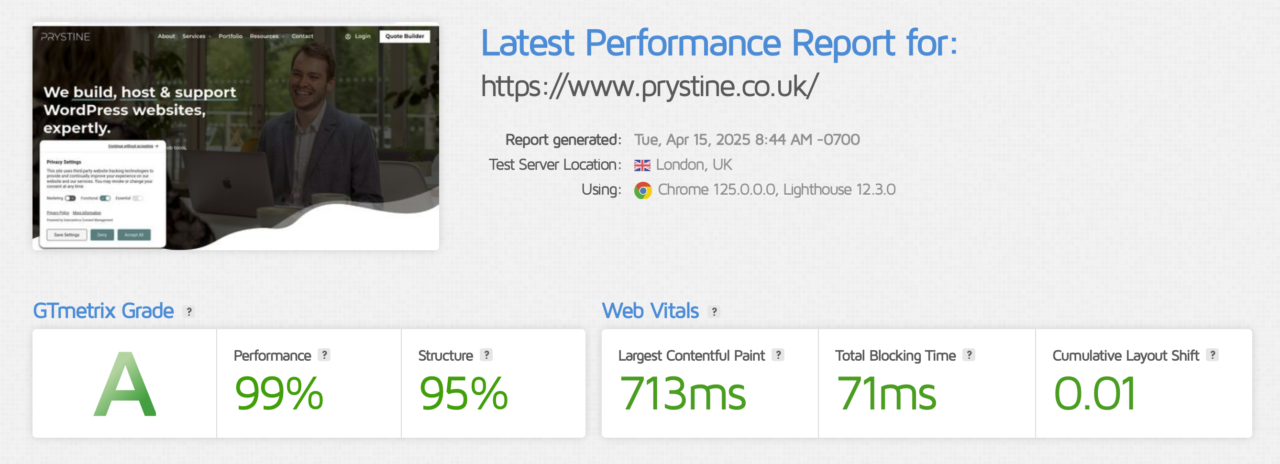
GT Metrix of our Stackable Homepage
Ease of use
It’s not as intuitive as the native blocks, partly because there’s many more setting and options to edit. That being said, for a web developer, the UI is clean and logical.
It integrates nicely into the Gutenberg editor without feeling overwhelming. Everything is where you’d expect it to be, and you’re not digging through a maze of settings just to make a simple block look good.
Special mention: Design Library
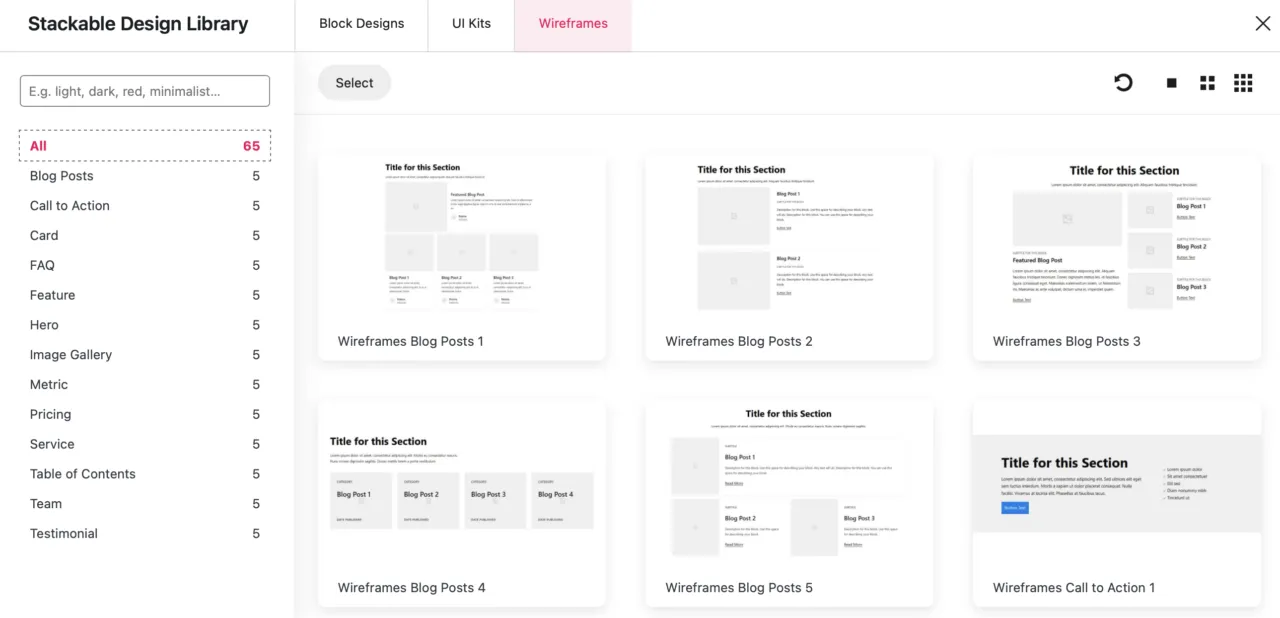
One key feature of Stackable is that it streamlines the content creation process with its design library, a selection of pre-designed templates that can be adapted to the client’s brand guidelines.

Stackable’s Design Library
WP Stackable’s Design Library is a game-changer. It comes with a vast collection of pre-designed templates and block layouts that can be easily customized to match the specific needs of any project. The flexibility it offers is impressive – you can start with a template and then tweak every element, from colours and typography to spacing and animations, to create a unique look that aligns with your client’s brand.
The wide range of design options means you can build anything from simple landing pages to complex, multi-page websites. The blocks are highly responsive and look great on any device, which is a must.
Lifetime deal
A nice selling point to me was the lifetime deal (LTD). While I can certainly appreciate LTD’s aren’t feasible for all business models, it’s a good feeling knowing I “own” the software licence for life and can using it for (hopefully) years to come without incurring additional fees.
The downsides
While we’ve looked extensively at the “pros” of using stackable. Here are a few “Cons” worth reviewing:
- WP Stackable offers a free version, but many of the more advanced features are locked behind a premium plan.
- It’s worth noting this isn’t unusual in the world of plugin development.
- With so many customisation options, the sheer number of settings can be overwhelming for beginners.
- There are no Woo-specific blocks.
- This isn’t a draw back for us as we use either Blocksy or Bricks for our development services which all have great support for WooCommerce.
- We’ve found at times, the page-building experience can be slow.
Conclusion
Overall, WP Stackable is a powerful Gutenberg extension. Its rich Design Library and extensive customisation options make it an essential plugin for creating stunning, responsive websites. Despite a few minor drawbacks, it’s a worthwhile investment and one we couldn’t do without!
Frequently asked questions
Is Stackable free?
Is Stackable worth it?
Stackable or a page builder like Elementor?

Josh Cox
I'm Josh. I build, host and look after WordPress (and modern Astro / Next.js) sites from Didcot. These are honest reviews of tools I actually use day to day, all part of the stack I build on. Some links are affiliate links; they never change my verdict.