TL;DRAs a web development agency soon approaching its 10th anniversary, we’ve worked with different page builders and theme frameworks over the years. From Elementor to Divi to Oxygen. But in the past year, we’ve shifted our focus to Bricks Builder for website projects that require an intricate design. Whether you’re a d…
As a web development agency soon approaching its 10th anniversary, we’ve worked with different page builders and theme frameworks over the years. From Elementor to Divi to Oxygen. But in the past year, we’ve shifted our focus to Bricks Builder for website projects that require an intricate design.
Whether you’re a developer looking for more control or an agency that needs scalable performance across client projects, Bricks checks a lot of the right boxes.
Here’s why we like Bricks:
Built for developers
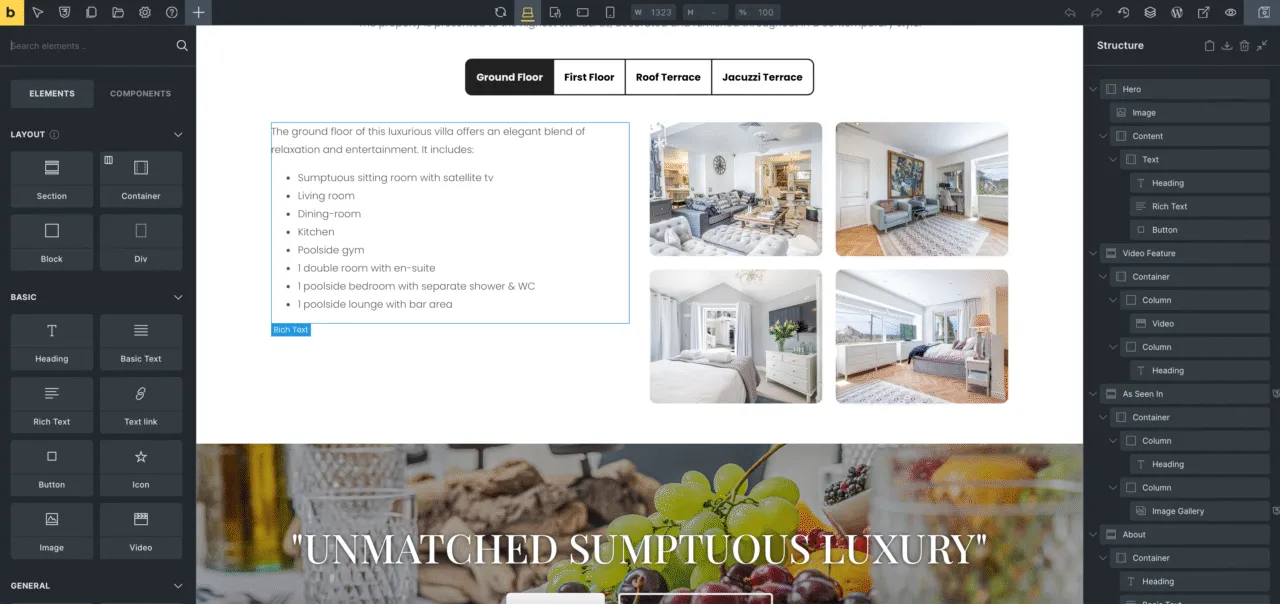
Bricks feels like it was made by devs, for devs. You get full control over your markup, the ability to write PHP and JavaScript directly in the builder, and excellent integration with ACF and custom post types.
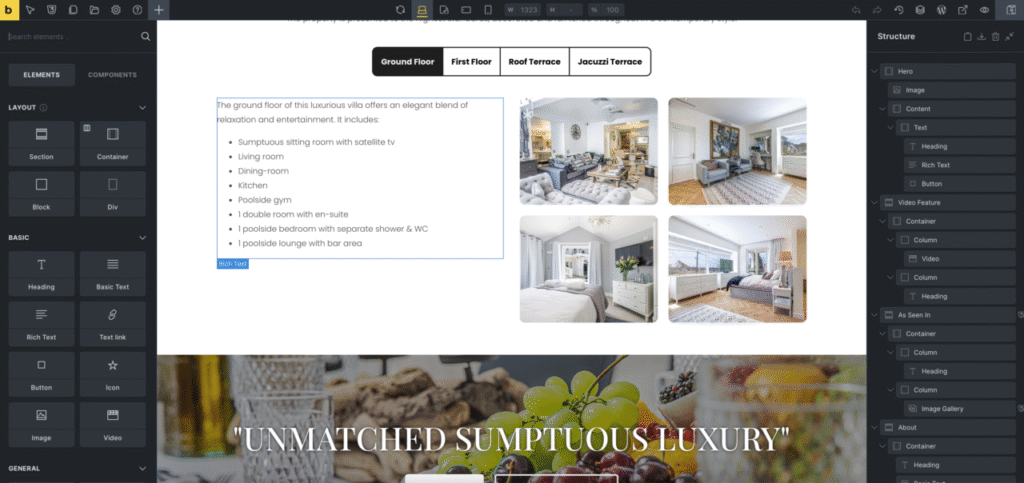
The builder’s interface is beautiful, but a little bit overwhelming when you’re just getting started. This is because it provides a huge scope of settings and tools to give you control over the website.
While this can be overwhelming for non web developers, it’s really powerful for who I believe are its target audience is.
Performance that speaks for itself
Bricks outputs clean, minimal code. No bloat, no unnecessary wrappers (looking at you Divi), no inline junk. Just fast-loading HTML, CSS, and JS.
Every Bricks site we’ve built scores in the high 90s on Lighthouse and GTmetrix out of the box. It’s honestly refreshing compared to the heavier builders, like Elementor, that need hours of tweaking to get close.
Dynamic capabilities
Bricks has native support for dynamic data – no third-party plugins needed.
You can pull in custom fields, loop through posts, apply conditions, and even build fully custom templates with logic baked in.
For building scalable, dynamic websites, especially for clients with complex content needs, it’s a massive win.
Active development & transparent roadmap
One thing we love: Bricks’ dev team is fast-moving and transparent. They release updates regularly, and their public roadmap shows what’s coming.
It gives us confidence to use Bricks long-term, knowing it’s not going to vanish or stagnate.
Plans & pricing
Bricks is still (as of April 2025) offering lifetime deals. Which, in the age of never-ending yearly renewals, is a breath of fresh air. It makes sense for agencies, especially if you’re deploying Bricks across dozens of client sites.
The drawback
Bricks has a rather steep Learning curve. It’s much more dev-centric than something like Elementor. If you’re not comfortable with web development or seeing a huge array of options, it might be a put off or at least feel overwhelming at first.
Frequently asked questions
Is Bricks better than Elementor?
Is Bricks good for site speed and SEO?
Is Bricks worth it for non-developers?

Josh Cox
I'm Josh. I build, host and look after WordPress (and modern Astro / Next.js) sites from Didcot. These are honest reviews of tools I actually use day to day, all part of the stack I build on. Some links are affiliate links; they never change my verdict.